Press kit
Last updated 19 September 2026. Everything on this page may be reproduced without asking.
In one line
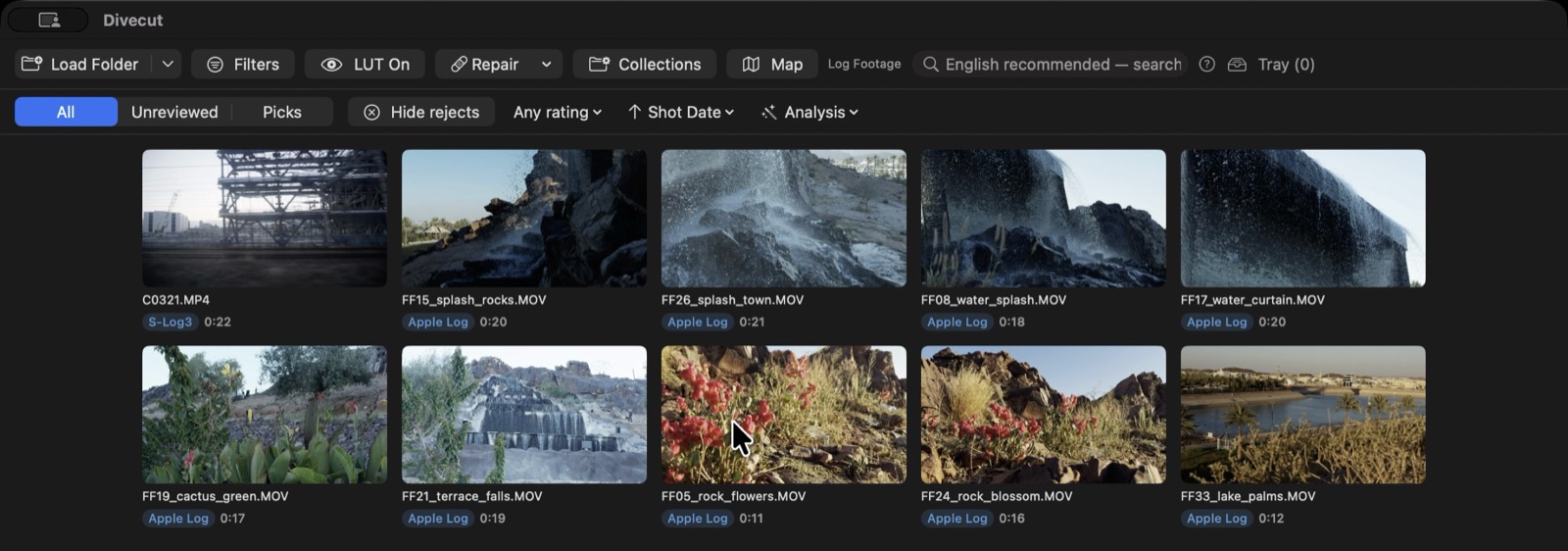
Divecut shows Log footage in the colour it was shot, lets you find it by typing what you saw, and sends your selects to a DaVinci Resolve timeline still in Log.
In one paragraph
Log footage looks like grey soup everywhere outside an editing application, so reviewing a card usually means opening an editing application first. Divecut is a small macOS and iPad app that sits between the shoot and the edit: it reads each clip's metadata, applies the matching Log-to-Rec.709 conversion on the GPU, and shows the footage correctly straight from the folder. You cull from the keyboard, search the footage in plain words with a model that runs on-device, and hand your selects to DaVinci Resolve as the original files, trimmed to the ranges you marked, with the conversion attached as a colour group rather than baked into the picture. It never transcodes, never writes next to your footage, and never uploads it.
Facts
| Name | Divecut |
|---|---|
| Developer | Motley Beaks Inc., Osaka, Japan |
| Platforms | macOS 15 or later, iPadOS 18 or later. One purchase covers both. |
| Released | macOS 3 September 2026; iPad 12 September 2026 |
| Price | Free for the first 100 clips, with every feature. Pro is $6.99/month or $49.99/year with a 7-day free trial. |
| App Store | apps.apple.com/app/divecut |
| Website | divecut.app |
| Contact | support@divecut.app |
What it actually does
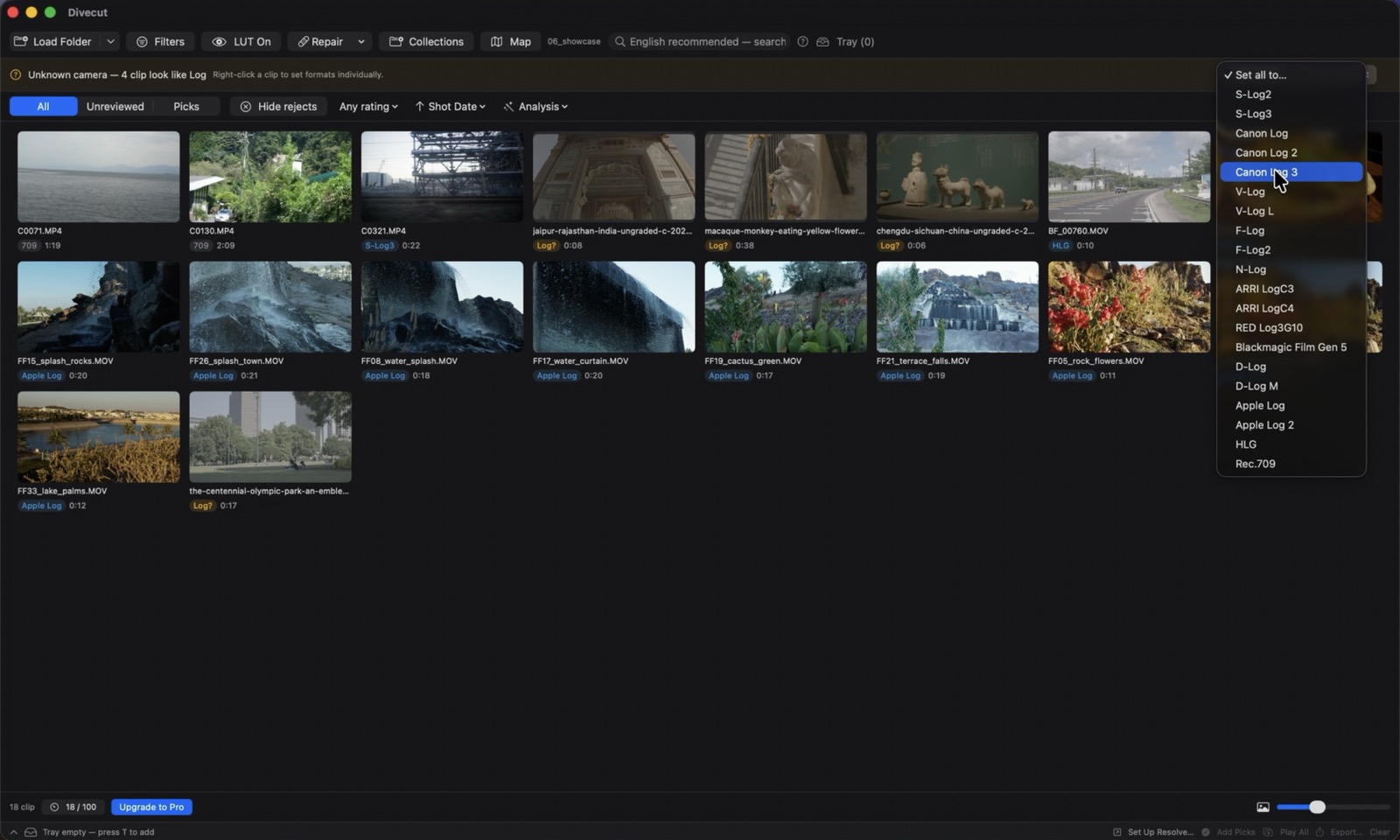
Colour. Divecut converts 17 Log formats across ten manufacturers — Sony S-Log2/3, Canon Log/2/3, Panasonic V-Log and V-Log L, Fujifilm F-Log and F-Log2, Nikon N-Log, ARRI LogC3 and LogC4, RED Log3G10, Blackmagic Film Gen 5, DJI D-Log, Apple Log and Apple Log 2 — plus HLG, which takes the same path to Rec.709. Fifteen of those are implemented from the manufacturers' published transfer functions and gamut matrices. V-Log L shares V-Log's curve; Apple Log 2 is currently approximated with Apple Log's. DJI D-Log M has no published formula, so the app says so and lets you assign a LUT rather than guessing.
Where a file carries no colour metadata — which is common — you assign the format once and it is remembered, including across re-import.
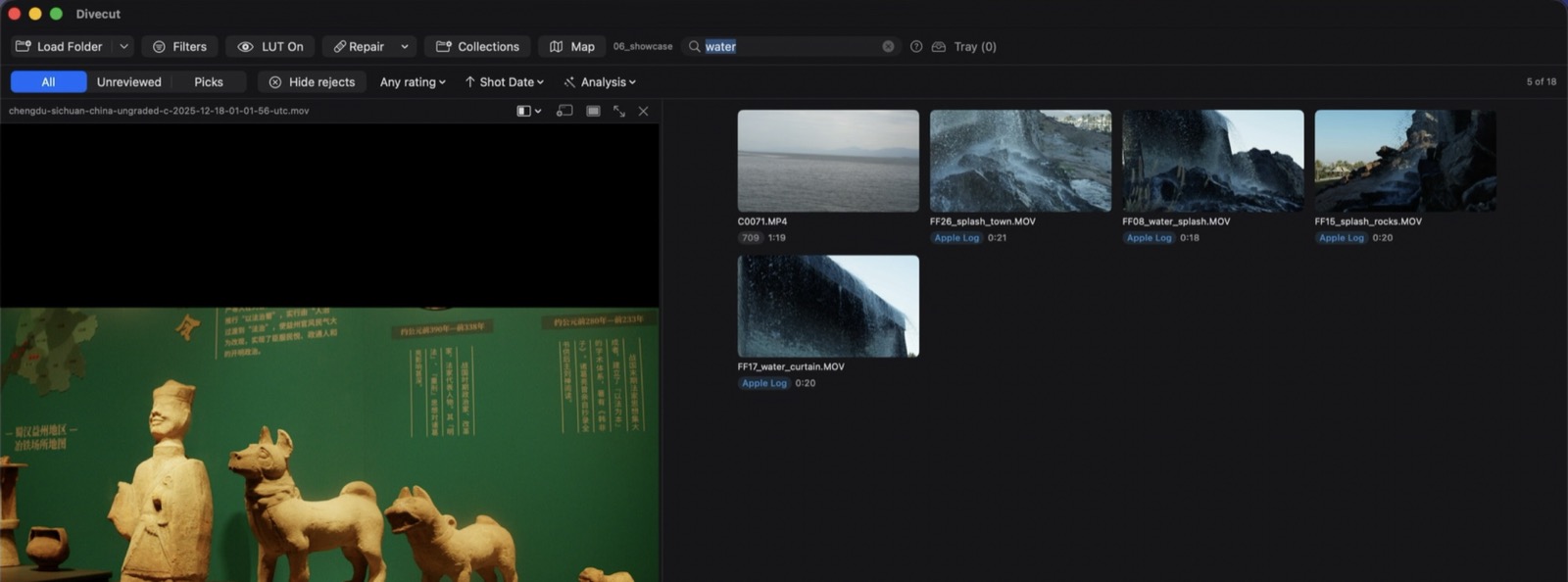
Search. A Google SigLIP 2 model runs on-device through Core ML. Type what you remember seeing and it finds the clip and jumps to the second it happens. Embeddings are stored locally; nothing is uploaded and it works offline.
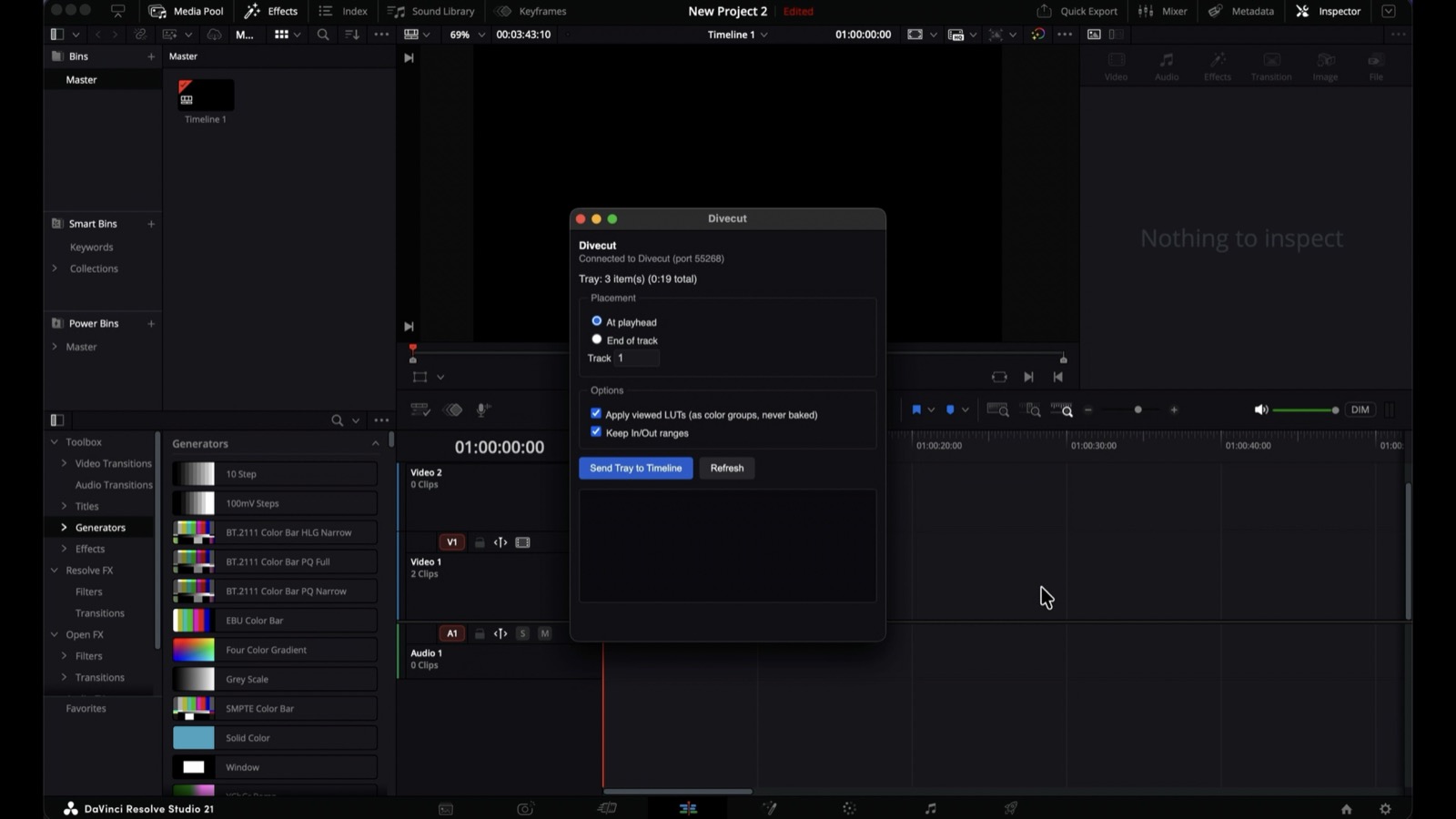
Hand-off. A Workflow Integration plugin places your selects on a DaVinci Resolve timeline as the original files, trimmed to your in and out points. The viewing conversion travels as a colour group, so the colourist starts from the real file rather than a cooked copy. This requires DaVinci Resolve Studio, because Workflow Integration is a Studio feature.
A number we measured
The final step of the colour pipeline — the curve that compresses Log's range into a viewable image — shipped with an exposure constant nobody had checked. We drove DaVinci Resolve through its scripting API, rendered the same frame through Resolve's own colour management, and compared the two numerically. Our picture was consistently brighter: an average ΔE76 of 12.1. Sony's official conversion LUTs agreed with Resolve and not with us. Correcting the one constant brought the error to ΔE76 4.36, and the same constant proved correct for a second Log format.
Images
Right-click to save. All screenshots are from the shipping app; the footage in them is either shot by the developer or licensed for use in promotional material.
App icon (1024×1024) · Logo (SVG) · Mascot (transparent PNG)


Video
A two-minute walkthrough of the whole flow: youtu.be/saAsMhdTqOQ
Who made it
Divecut is made by Takashi Saito at Motley Beaks Inc. in Osaka. He has built DaVinci Resolve plugins, Fusion macros, OpenFX plugins and DCTLs for years, and shoots and grades his own work. Divecut is his first Swift application, written because he was tired of opening an editing application just to remember what was on a card.
Review copies
You do not need one. Every feature works in the free tier, up to 100 clips — colour conversion, on-device search, keyboard culling and the Resolve hand-off are all available without paying, and Pro has a 7-day free trial. If you would prefer a code anyway, email support@divecut.app.
Bring Log footage if you can. Ordinary Rec.709 video will look unchanged, and the point of the app will be invisible.