See your Log footage in the colour you shot it
Log footage is supposed to look flat. That is what makes it useful — the camera keeps the highlights and shadows you would otherwise throw away. But it means that between the shoot and the grade, nothing on your Mac shows you the picture you actually framed.
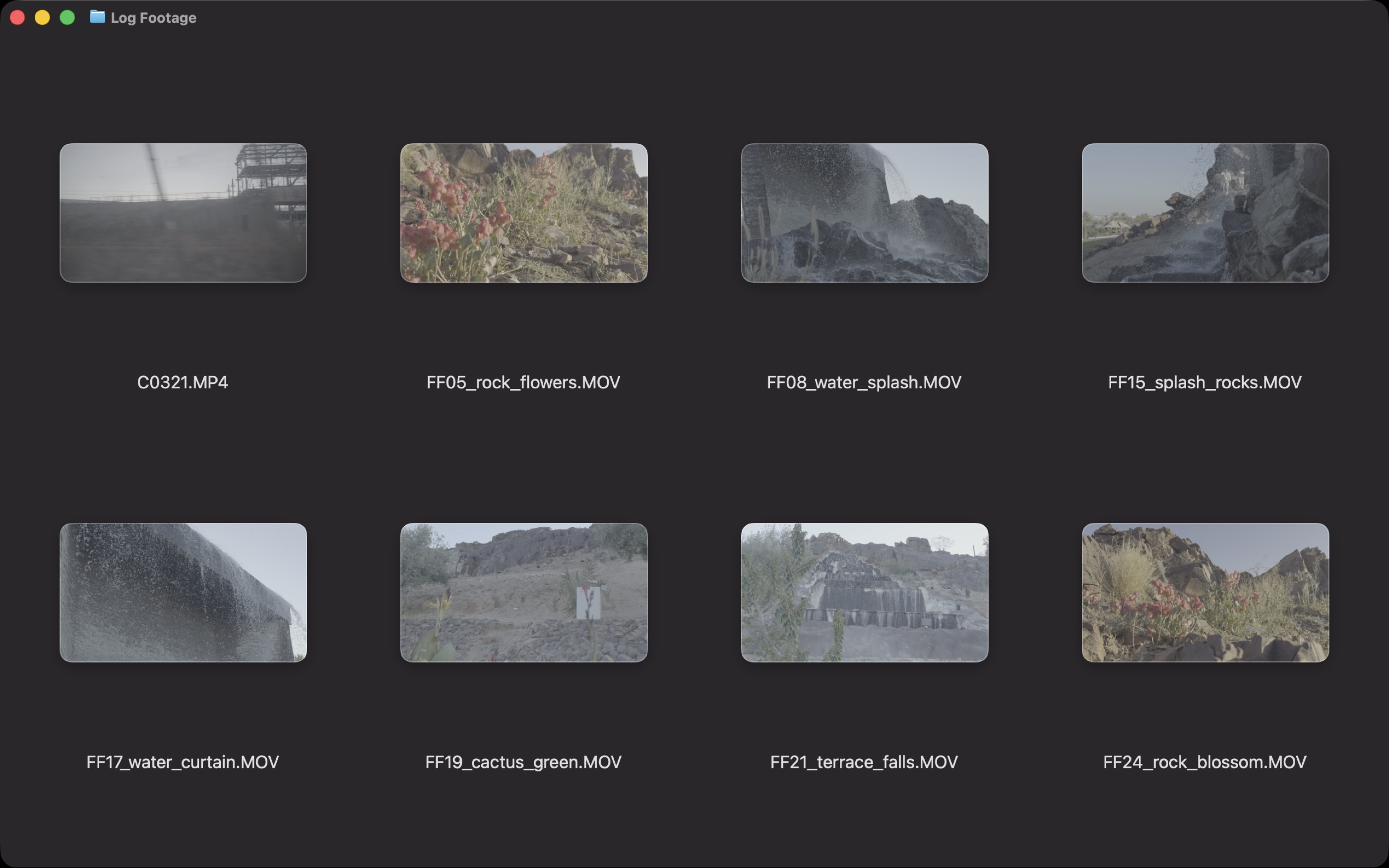
So you open the clips one at a time in something that can convert them, or you wait until they are on a timeline. Either way, the part of the job where you decide what is worth keeping happens while you cannot see properly.
Divecut converts on the grid, not on a timeline
Divecut applies the Log conversion where you are already looking: the browser. Same folder as above, nothing imported, nothing rendered.
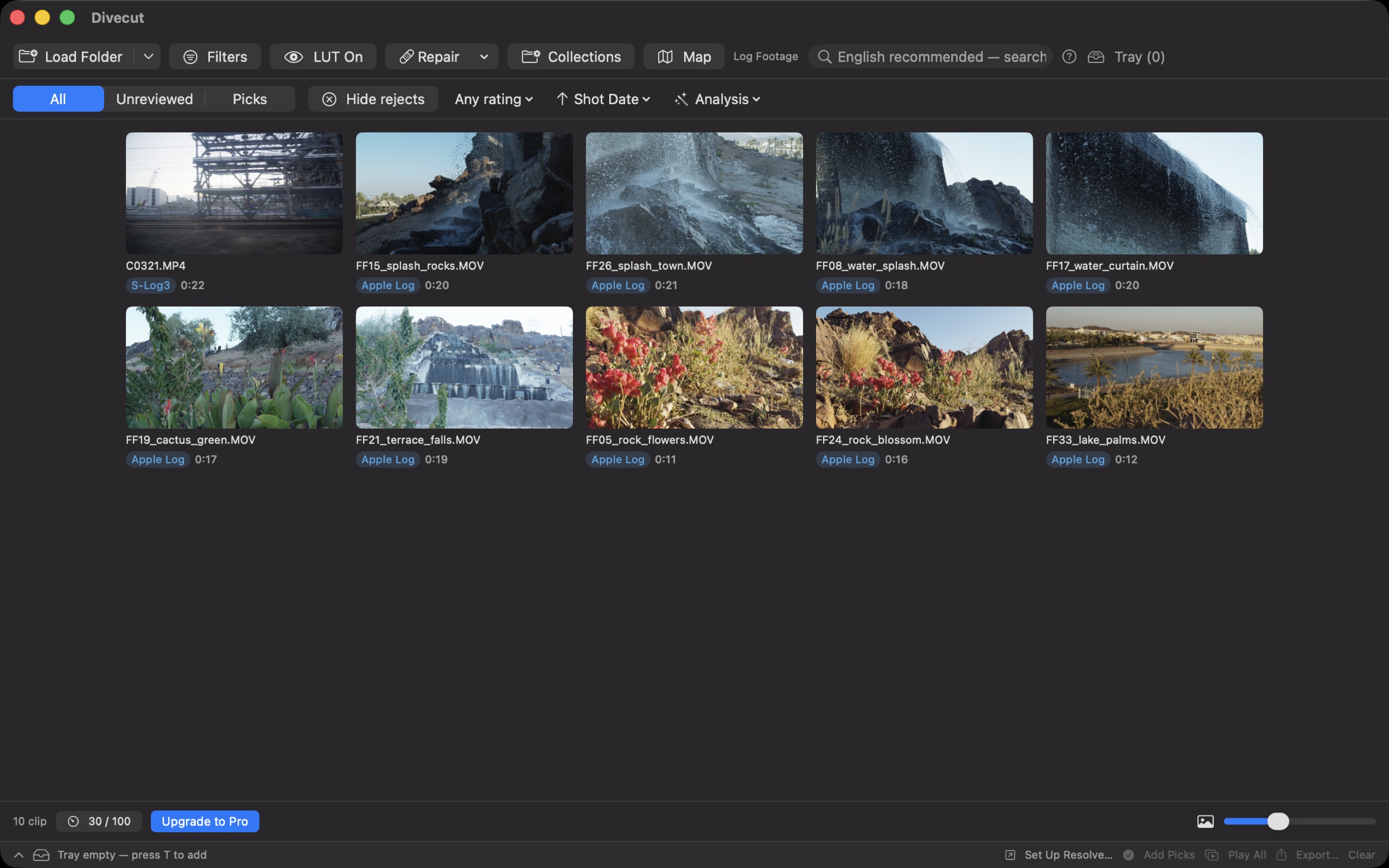
It is a display conversion. The files on disk are untouched — the same bytes, in the same place, still Log. Nothing is re-encoded and nothing is written alongside them.
It reads the file rather than guessing from the picture
You could try to detect Log by looking at the image — low contrast, lifted blacks — but that misclassifies anything shot flat on purpose, and it cannot tell S-Log3 from V-Log. Divecut reads what the camera recorded: maker notes, embedded XML, vendor-specific boxes. There are 16 conversions built in, covering Apple Log, the S-Log, V-Log, F-Log, N-Log, LogC, C-Log, D-Log and Blackmagic Film families, plus HLG.
When a camera does not label its files, you tell Divecut once what that camera
shoots and every clip from it follows — including the ones you import next
month. You can also load your own .cube LUTs and assign them per
Log format, or point Divecut at the LUT folder your editing application already
uses.
The badges tell you what is known and what is assumed
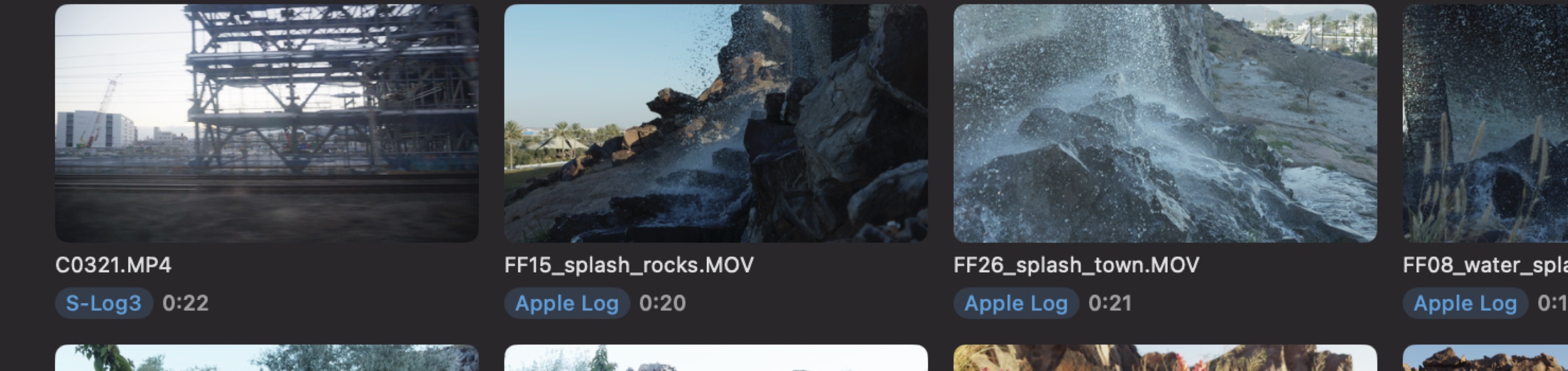
This part matters more than it looks. A tool that silently decides what your footage is will eventually be confidently wrong, and you will not know which clips to distrust. So the badge distinguishes the cases:
- S-Log3 — the file says so.
- 709 — confirmed as Rec.709, not assumed.
- 709? — nothing in the file said anything. This is a fallback, and the question mark is there so you can tell.
- RAW — RAW, which is a different thing again.
And there is one switch that turns every conversion off, so you can look at the flat original when you want to. Display only — what you export is unaffected either way.
Why not just bake a LUT and be done
Because the moment you burn a conversion into the file you have thrown away the latitude you shot Log for, and made a decision that belongs to the grade. Divecut keeps the two apart: the conversion is how the footage is shown, and when the clips leave for DaVinci Resolve they leave as Log, with the conversion carried across as timeline information rather than pixels. If you do want new files — proxies, a client review copy — that is an explicit export, where burning in the conversion is a choice you make on purpose.
Divecut is a footage browser for macOS and iPad. It shows Log clips in the colour you shot them for, lets you search them in plain words, and hands your selects to DaVinci Resolve with the Log intact. See everything it does.