Stop opening an editing app just to see what you shot.
Divecut shows your Log footage in the right color, lets you search it in plain words, and sends your selects out with Log intact.
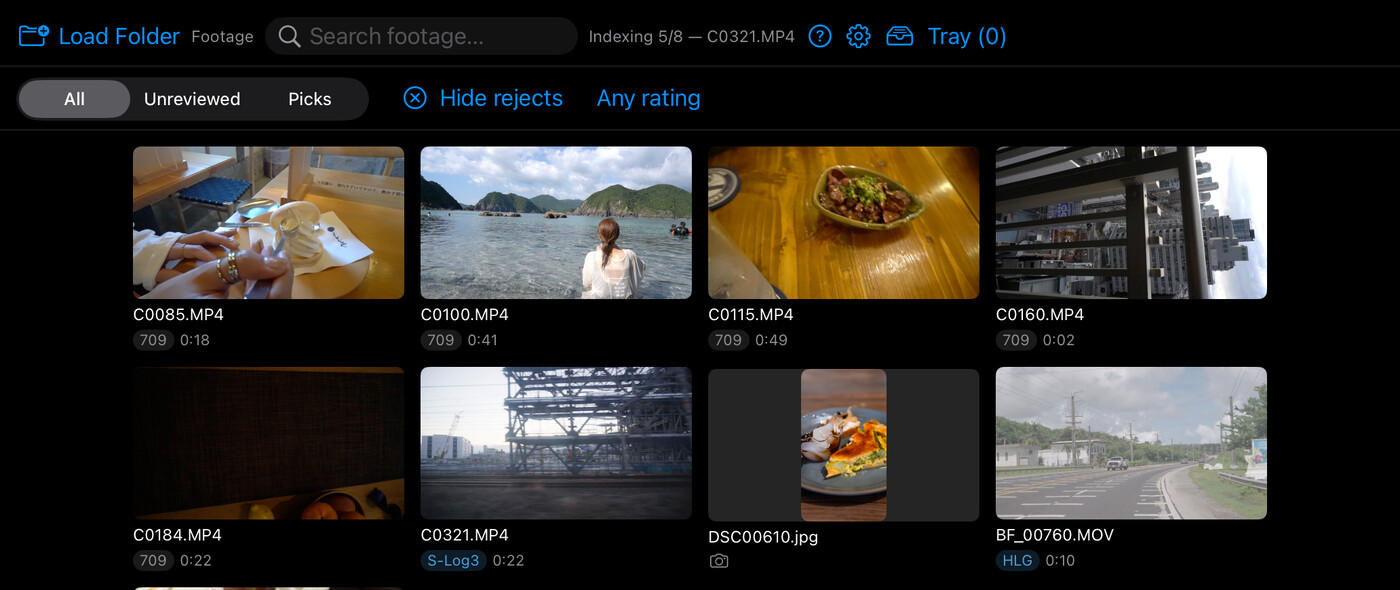
Divecut shows your Log footage in the right color, lets you search it in plain words, and sends your selects out with Log intact.
The problem
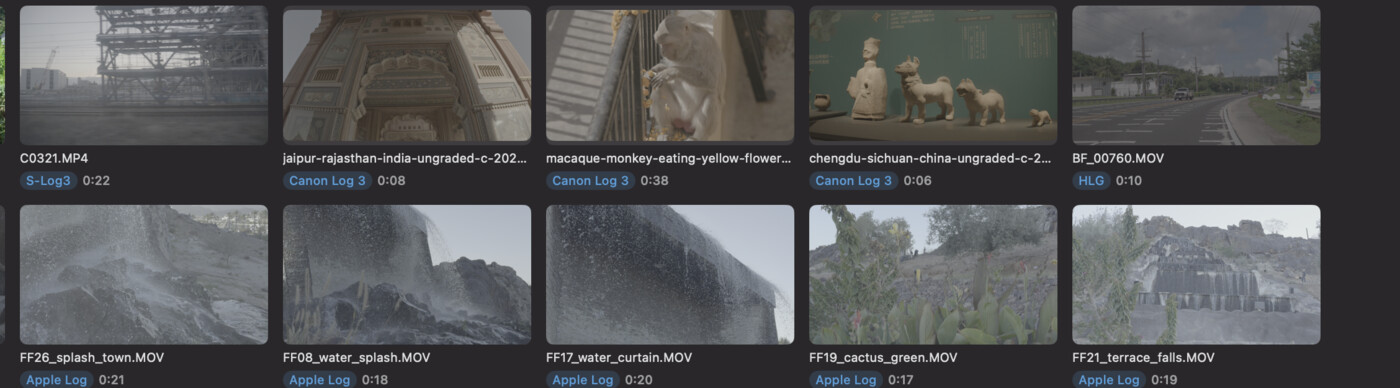
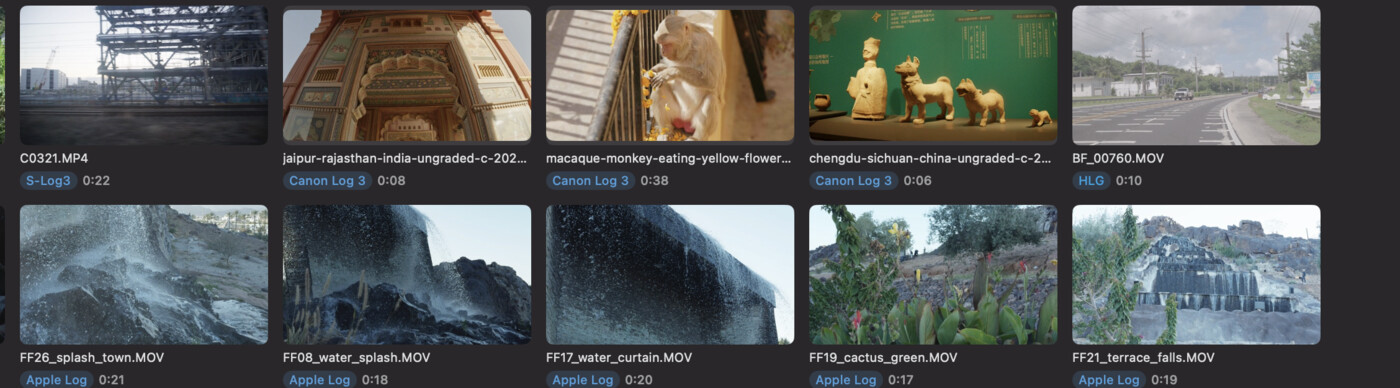
Finder, QuickTime, every asset browser — they all show S-Log3, Apple Log, V-Log and HLG as washed-out gray. So you end up opening your editing app and scrubbing a timeline just to answer “what did I actually shoot?”

What it does
Divecut reads camera metadata to detect S-Log3, Apple Log, HLG and more, and displays footage through the proper conversion. No proxies, no rendering — your originals are never touched.
“fire”, “person on a bridge”, “red car at night” — on-device AI finds the shot you remember, not the file you named. It runs on your device; nothing ever leaves your Mac.
Rate, pick, reject, set in/out points — the entire review flow works from the keyboard, the way stills culling tools got right years ago.
Collect keepers into a tray as you go, then drag them all out at once — to Finder, to your editing app, anywhere that accepts files.
Send selects with in/out ranges straight to a DaVinci Resolve timeline. Clips arrive as Log with viewing LUTs applied as metadata — your grade starts from the real files, not baked-in copies.
No cloud, no uploads, no account. Divecut references your footage in place and stores only its own metadata.
Stop on the right frame and press S, or choose any photo. Divecut writes a PNG named thumb_ plus the clip’s name next to the clip and uses it as the thumbnail. No database — drop a PNG in Finder and it works too, and the thumbnail travels with your footage.
Pricing
Every feature is included in the free version — the limit is library size, not capability.
Free
$0
forever
Pro
$6.99/mo
or $49.99/year · 7-day free trial
Download on the Mac App Store Free to try — up to 100 clips, no time limit.
About

I run Motley Beaks Inc. in Osaka, Japan.
I've spent years building plugins and macros for DaVinci Resolve — Fusion tools, OpenFX plugins, LUTs, that kind of thing. I also shoot and grade my own footage, and that's really where this app came from: I got tired of opening Resolve every single time just to remember what was on a card.
So I built the tool I actually wanted.